
Collect Every
Event Photo
With One QR Code
Collect photos, videos & messages from every guest, create your wedding website, and manage RSVPs and seating, all with a single QR code. No app for guests to download.
Try the demo event first · One payment from $49, no subscription

5 October 2026
Nora & Emil
Nora & Emil
05.10.2026

Upload to Gallery
Uploading...
0 / 3IMG_4821.jpg
0%IMG_4822.jpg
0%IMG_4825.jpg
0%Uploading... 0%
0 / 3
All files uploaded
3 files uploaded successfully
CloseNora & Emil
Leave a Message
0:00
Tap to record your message
Message sent!
Nora & Emil
Guestbook
Now Playing
Nora & Emil
Message 1 of 3
Scan to try
Everything your wedding needs, one scan away.
Photos, videos, a wedding website, RSVPs, seating and a guestbook, all behind one QR code.
Photo & Video Sharing
Guests scan and upload in full quality. No app, no login.


Voice Messages
Toasts and blessings, saved in their own voices.
Digital Guestbook
Heartfelt notes from everyone, kept in one place.
Wedding Website
Your story, schedule, travel and registry on one link.
Live Slideshow
New uploads show up on the venue screen, live.

RSVP & Meal Choices
Guests reply in seconds. You see every answer live.
Seating Chart
Plan the tables, then let guests find their seat.
Every guest's photos, in one album
One scan opens your upload page. Guests pick what they shot and it arrives in your private album exactly as it was taken, never a compressed copy.
Unlimited photos and videos, with no app or login.


Hear the toasts again, years from now
Guests write a note or record a voice message on your upload page. Every word and every laugh is kept alongside the photos.
Recorded in the browser, with nothing to install.
Included in Pro
Your whole wedding, on one link
Your story, the schedule, travel details and registry in a design that matches your QR cards, with RSVP and photo upload built in.
Your own address, like eventoly.com/annaanddavid.

Included in Pro
Know who's coming, without chasing anyone
Guests answer on your page: yes or no, plus-ones, meal choices and dietary notes. Your guest list keeps itself up to date as replies arrive.
Replies close on their own after your reply-by date.
Included in Pro
A seat for everyone, found in seconds
Arrange your tables once. On the day, guests type their name on the same page and see exactly where they are sitting.
It runs on the same QR code as everything else.
Ready before the first guest arrives
Three steps and about five minutes, start to finish.

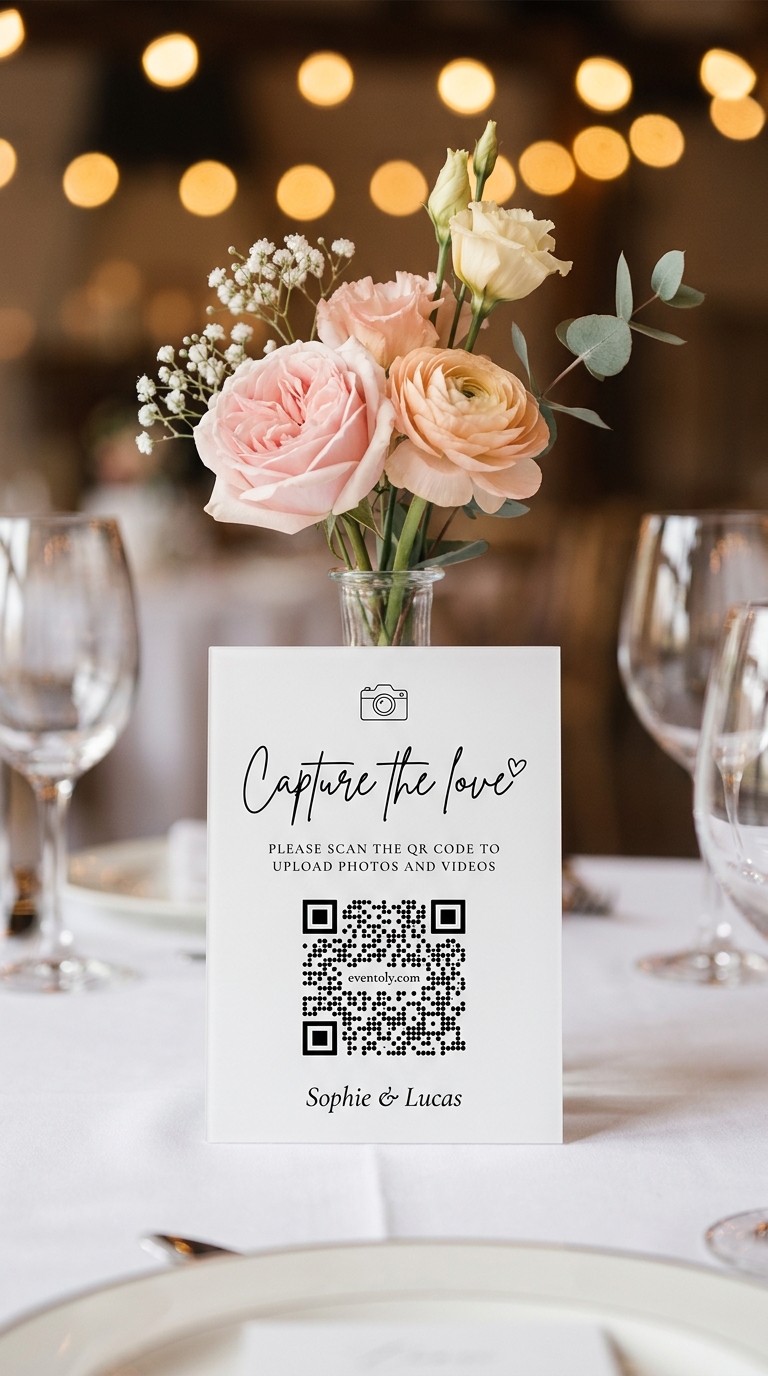
Sophie & Lucas
1Sign In & Create an Event
Create a private album for your event in a few clicks and customize settings to let guests view or download photos.
 2
2Share QR Code or Link
Share your upload link or display a QR code at your venue using our ready-to-print Canva QR Code templates. Just replace the existing QR with yours and print it.
 3
3Enjoy Photos & Videos
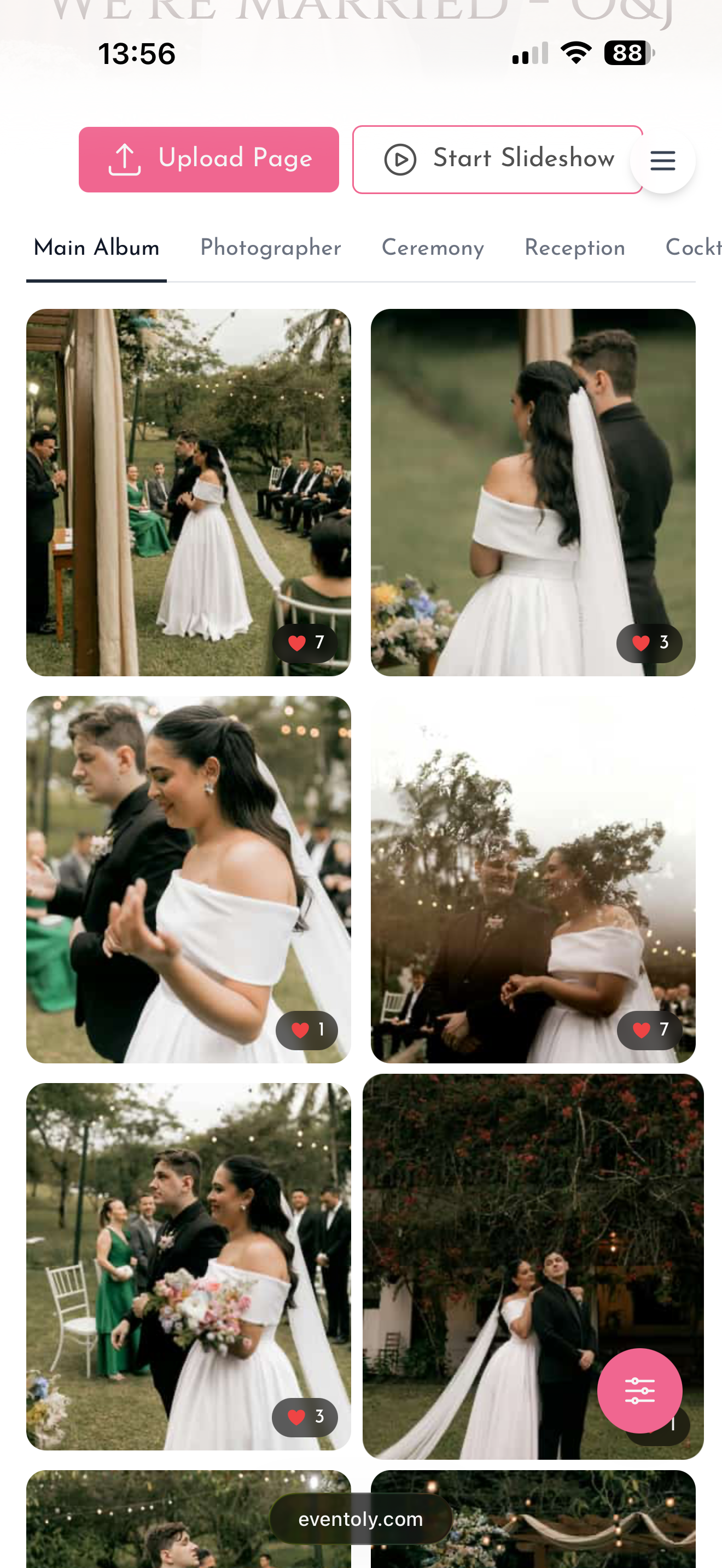
Guests upload photos and videos by scanning the QR Code. You can then easily access and download everything in one click after the event.
QR cards, ready to print
Choose a design in your dashboard, edit the wording and download it with your QR code already in place.
One code for every celebration
Weddings are where most people start. The same QR code works for any day worth remembering.
From the first dance to the last toast — every guest's photo, video, and voice note in one shared album.
MoreEvery candle blown, every belly laugh, every messy slice of cake — straight from your guests' phones.
MoreCute moments, sweet messages, and group photos — all in one place to share with the parents-to-be.
MoreHouse parties, anniversaries, reunions — every guest contributes, no chasing group chats for the good photos.
More
12 June 2027
Emma & James

Emma & James
 12
12 7
7
 21
21


As Seen On




What hosts say about Eventoly
We put the QR code on the welcome sign and let everyone do their thing. Guests loved this so much they couldn't stop playing with it. The next day, we had hundreds of photos from our guests. Love it! And they didn't have to download an app
I've tried a bunch of these for clients and most ask guests to download something nobody wants to download. With Eventoly the QR just works. I had a 70-year-old uncle of the groom upload three videos on his own. That sold me. Been using it for events ever since.
For my 30th I really didn't want to chase everyone for their photos like I always end up doing. The QR code went on the table cards and that was it. A week later I downloaded everything in one zip. Way easier than texting 15 different group chats.
Pay once for your event
Try it free first. When you're ready, choose a plan. No subscription and nothing renews.
Starter
For casual get-togethers
One-time per event · Free trial included
- 3 months upload (from event date)
- 6 months storage (from event date) + ZIP download
What you get
- Unlimited photos & videos
- Unlimited guests
- Original quality (no compression)
- ZIP download for admins
- Likes
- Guest name tracking
- Multiple admins
- Upload page themes & layouts
- Canva QR code designs
- Priority support
Not included
- Guestbook (notes & voice)
- Live slideshow
- Sub-albums
- Custom fonts
- Wedding website
- RSVP with meal choices
- Find my seat for guests
- Custom event link
Standard
Guestbook, slideshow and gallery
One-time per event · Free trial included
- 6 months upload (from event date)
- 1 year storage (from event date) + ZIP download
Everything in Starter, plus
- Guestbook (notes & voice)Guests leave you a written note or record a voice message alongside their photos. Read and play them back in the album, or export the whole guestbook as a printable book.
- Live slideshowDisplay photos on a TV or projector in real-time as guests upload them. Single image or collage mode.
- Sub-albumsOrganize photos into separate albums within your event — e.g. Ceremony, Reception, Party. Up to 6 sub-albums.
- Custom fontsChoose from elegant script and serif fonts to match your event style on the upload page and album.
Not included
- Wedding website
- RSVP with meal choices
- Find my seat for guests
- Custom event link
Pro
Wedding website, RSVP and seating, all in one link
One-time per event · Free trial included
- 1 year upload (from event date)
- 2 years storage (from event date) + ZIP download
Everything in Standard, plus
- Wedding websiteNewYour upload page becomes your wedding website: love story, schedule, travel, registry, FAQs and more, all on one link.
- RSVP with meal choicesNewGuests RSVP on your page with plus-ones, meal choices and dietary needs. It closes itself after your reply-by date.
- Find my seat for guestsNewPlan your seating chart, then guests type their name on your upload page to see their table and seat.
- Custom event linkNewe.g. eventoly.com/davidandannaYour own easy-to-remember link for guests. It opens your upload page and wedding website, and /album opens the album. Your QR code keeps working and leads there too.
The full experience
Everything is included. Nothing is left out.
Free trial first, no credit card required · Refund if you don't use it for your event
Good to know before you start
Something else on your mind? Write to support@eventoly.com.
No, guests can upload photos and videos directly using the QR code, without needing to download anything.
Absolutely. As long as you are connected to internet, you and your guests can use Eventoly.
Sign up on an event photo sharing platform like Eventoly. Once you create an event, Eventoly will automatically generate a QR Code your guests can use to upload photos.
Yes, as the event admin, you can delete photos and videos by logging in to Eventoly. Guests cannot delete photos and videos.
There is a setting to enable or disable guest view. As the event admin, you can adjust the settings by logging in to Eventoly.
Yes. Once you log in to your dashboard, you can navigate to Album menu and click Download All.
Absolutely. You can with the click of a button start a slideshow and show media as guests upload them.
Our platform is designed for simplicity. Unlike complex services like Google Cloud, which require setup and have storage limits, we offer a seamless experience with no logins required, no advanced planning needed, and a custom QR code for your event. It’s hassle-free.
Absolutely. Your photos are 100% private. You control whether guests can view and download them. We don’t use or share your photos in any way.
You have full control. If needed, you can disable guest viewing during the event, and once you’ve reviewed the photos, you can re-enable guest access.
There is a free version for trying before purchasing. We offer a refund if you ended up not using Eventoly for your event.
Contact us by email at support@eventoly.com
Your guest page, in your style
Choose a design for the page guests open when they scan, then add your names, date and cover photo.

Anna & David
14 June 2027

20 September 2026
Clara & Jonas
Nora & Emil
05.10.2026
3 May 2027
Mia & Theo


Sofia & Luca
12.07.2027

Elena & Marco
28.08.2027
Anna & David
14 June 2027
20 September 2026
Clara & Jonas
Nora & Emil
05.10.2026
3 May 2027
Mia & Theo
Sofia & Luca
12.07.2027
Elena & Marco
28.08.2027
Anna & David
14 June 2027
20 September 2026
Clara & Jonas
Nora & Emil
05.10.2026
3 May 2027
Mia & Theo
Sofia & Luca
12.07.2027
Elena & Marco
28.08.2027
Your wedding, ready to share in five minutes.
Create your event and try it free. When you're ready, pay once for your event. No subscription.
- Free to try, no card needed
- One payment from $49 per event
- Refund if you don't use it for your event