QR Code for Birthday Pictures That Last Forever
Create a QR code for birthday photos in a few clicks. Guests scan it and upload pictures and videos straight to one shared album — no app, no login. Unlimited uploads, video support, long-term album access, and an unbeatable price. The easiest way to collect every birthday photo without chasing group chats.
Free trial · Setup in 3 steps · No login for guests
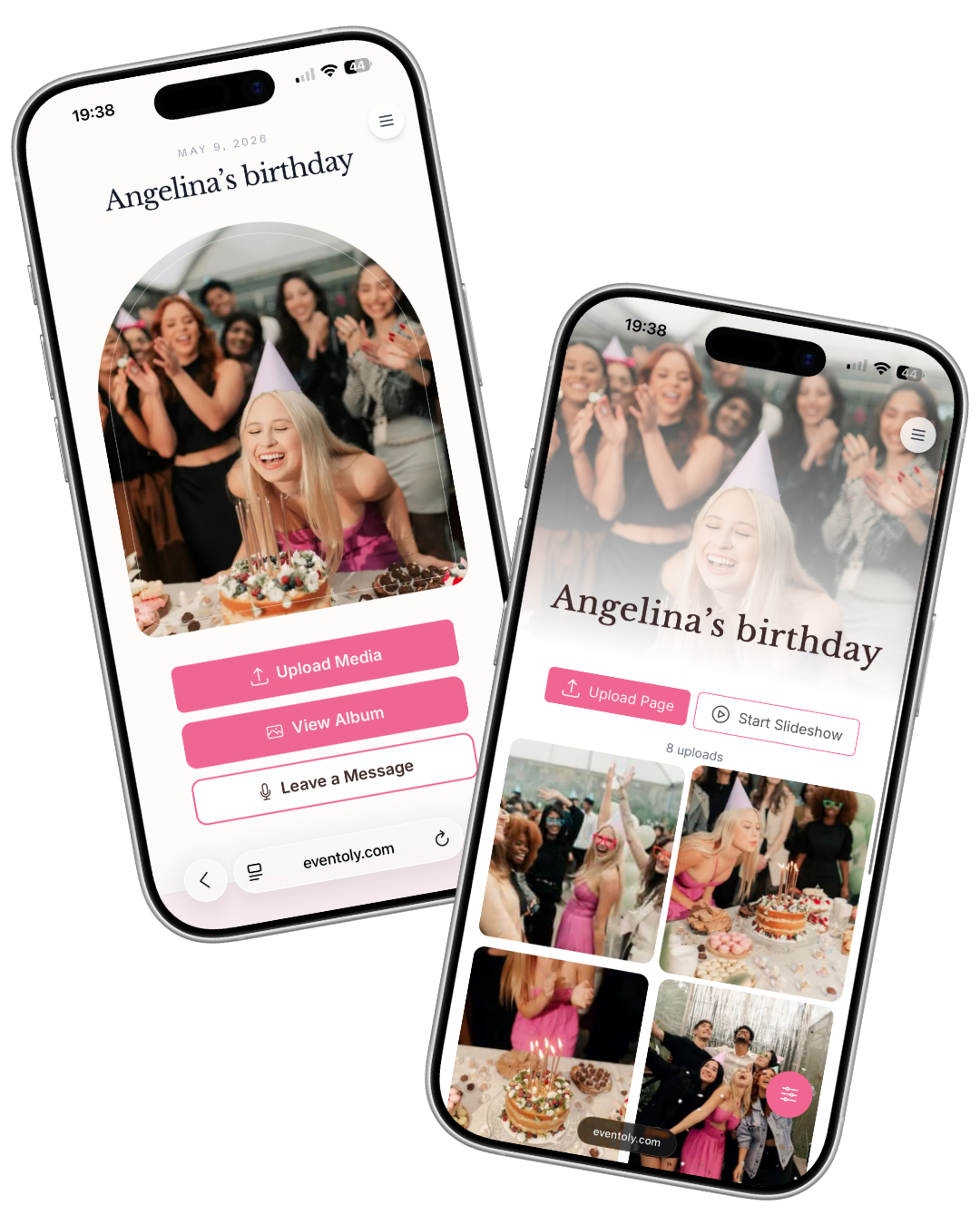
Scan to try
.png)
How does it work?
Create a QR code photo album for your birthday in 3 simple steps. Guests scan, upload photos and videos, and your shared album fills up live — no app, no guest login, no upload caps.
 1
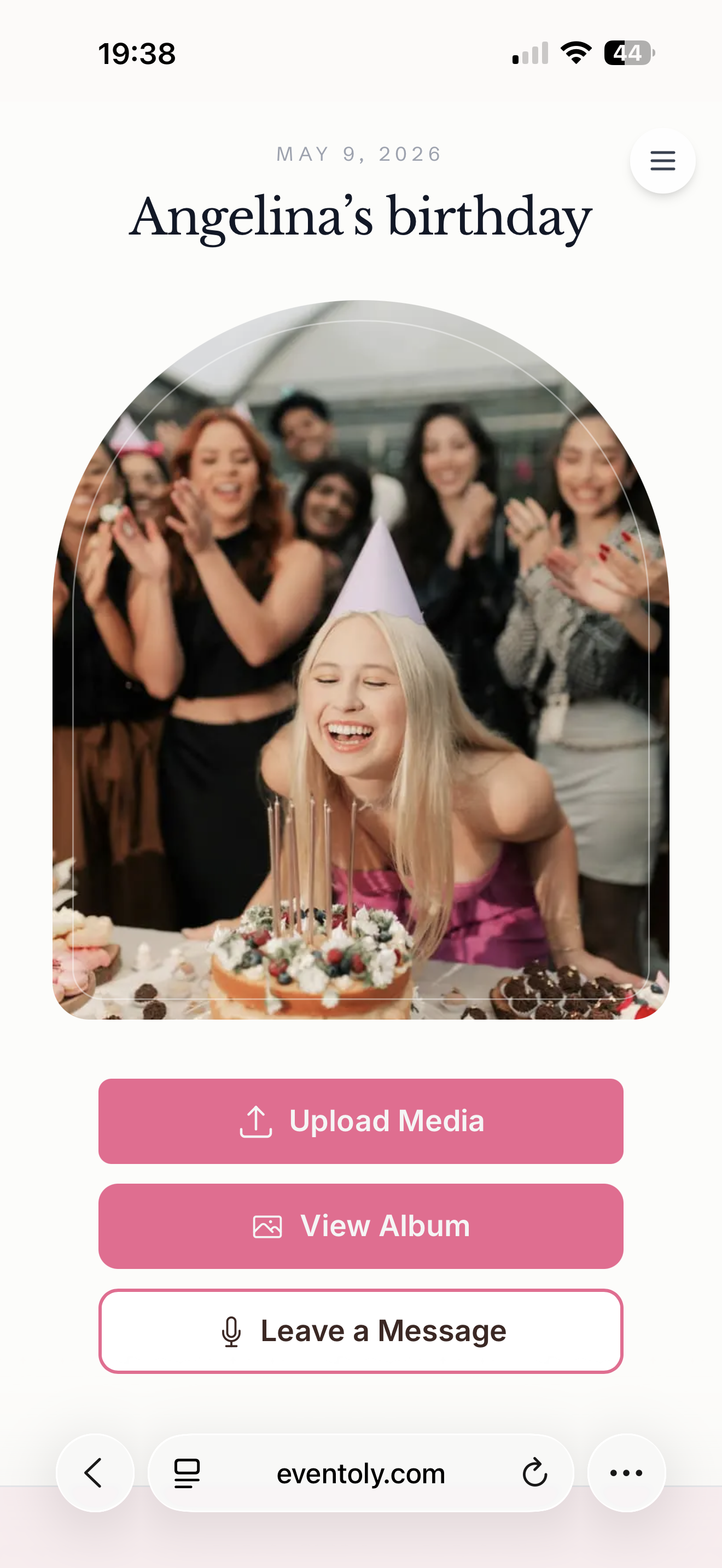
1Sign In & Create an Event
Create a digital album for your birthday pictures and customize settings to let guests view or download.
 2
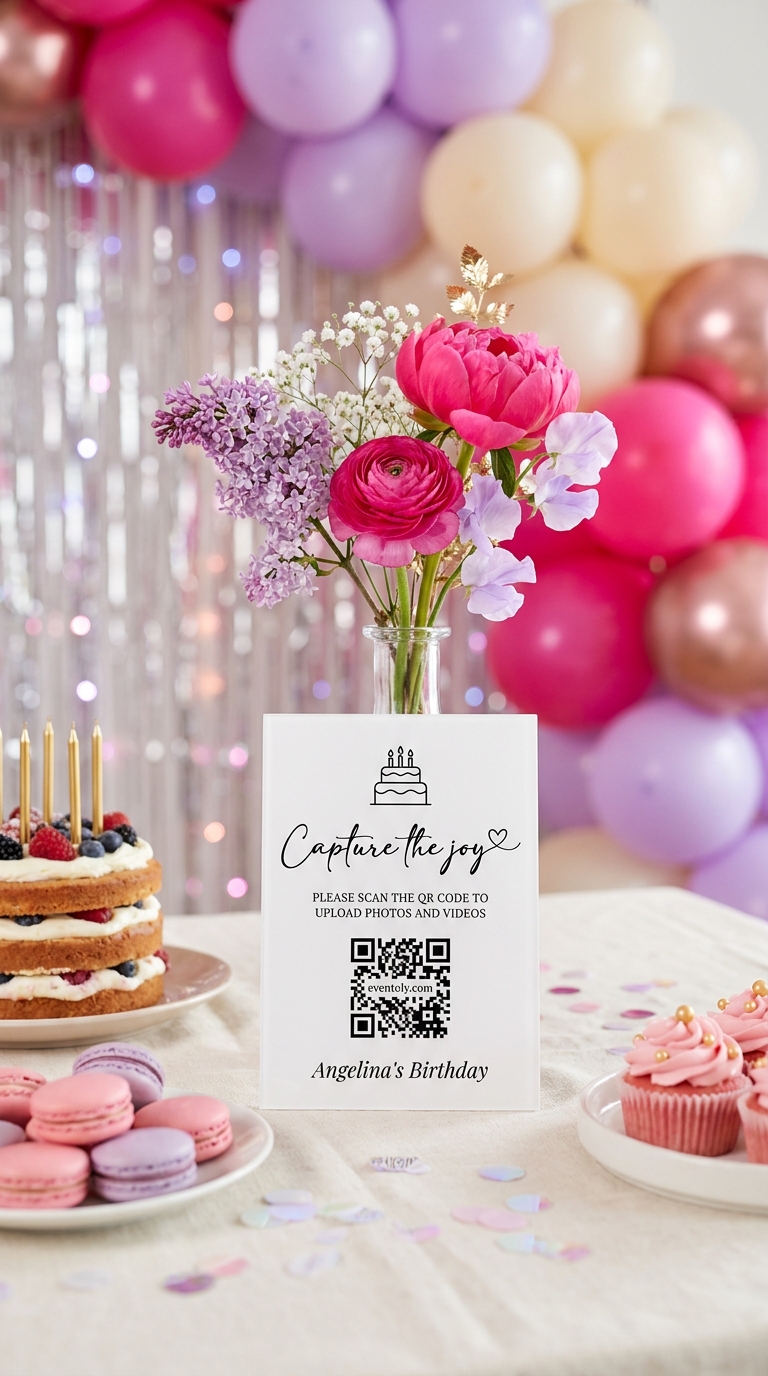
2Share QR Code or Link
Share your upload link or display a QR code at your venue using our ready-to-print Canva QR Code templates. Just replace the existing QR with yours and print it.
 3
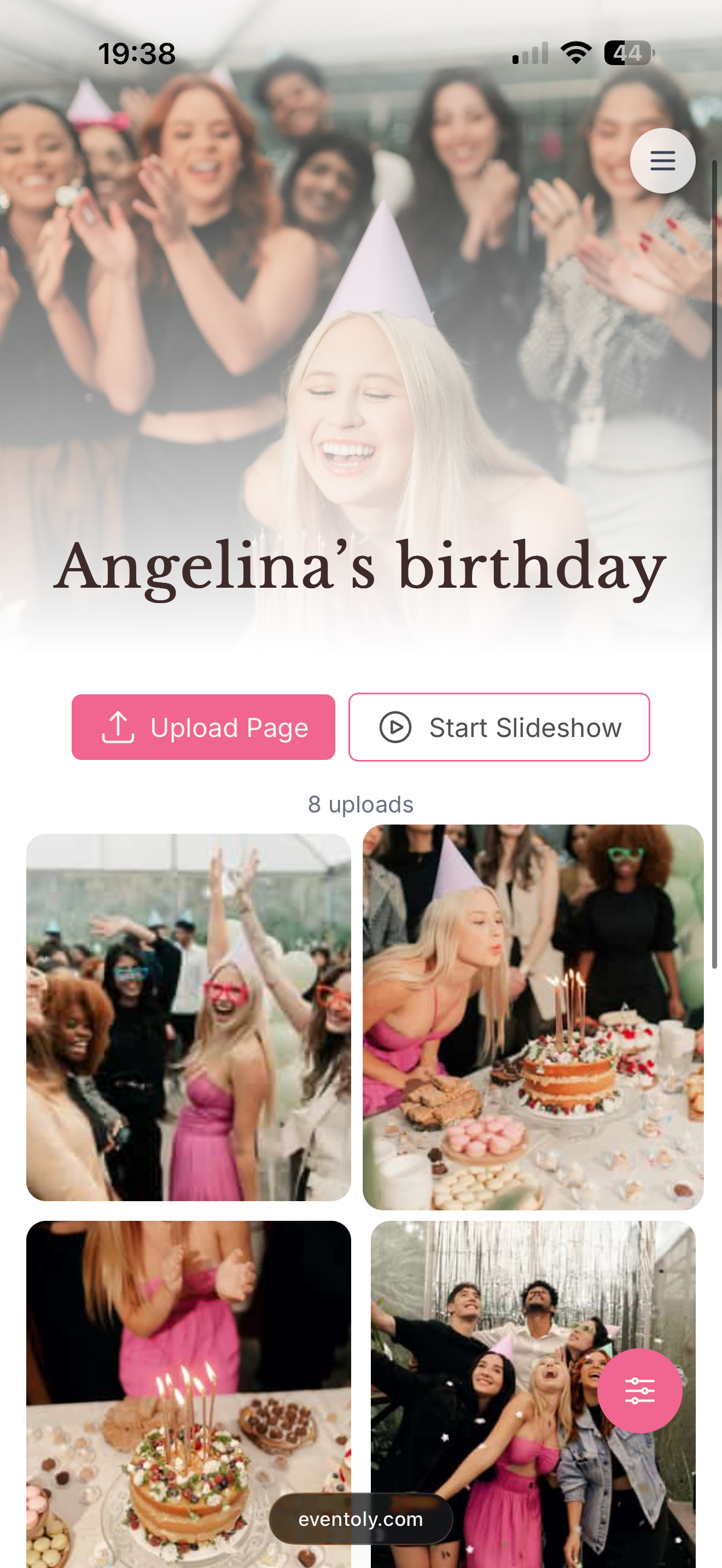
3Enjoy Photos & Videos
Guests upload photos and videos by scanning the QR Code. You can then easily access and download all birthday photos and videos in one click after the event.
Free trial, no credit card required
Everything you need for a private birthday photo QR code
Built for hosts who want every guest photo and video from the party, in full quality, in one shared album that lasts.
Private QR Code for Birthdays
- Generate a unique and private QR Code for birthdays
- Privacy settings to disallow guest view/download
QR Code for Birthday Pictures, Made Simple
Guests scan your birthday QR code and upload photos and videos straight to one shared gallery — no app required. Build a personalised album for the celebration and capture every moment effortlessly. Want the party to feel it live? Switch on the live digital photo wall and watch every memory roll in in real time.
Explore pricingOne code for every celebration
Weddings are where most people start. The same QR code works for any day worth remembering.
From the first dance to the last toast — every guest's photo, video, and voice note in one shared album.
MoreCute moments, sweet messages, and group photos — all in one place to share with the parents-to-be.
MoreHouse parties, anniversaries, reunions — every guest contributes, no chasing group chats for the good photos.
More
12 June 2027
Emma & James

Emma & James
 12
12 7
7
 21
21


Birthday photo sharing
Why QR photo sharing works for a birthday party
Birthday photos are scattered by design: the parents of the birthday kid, the friends who arrived late, the aunt filming the candles from across the room. By the next morning they're spread across a dozen phones and three group chats. A birthday QR code, sometimes called a birthday barcode, sends all of them to one album with a single scan.
It works for every age: a first birthday where grandparents want every photo, a sweet 16 where friends shoot hundreds of selfies, a 30th, 40th or 50th where the best moments happen after dinner, or a 90th where the family wants a keepsake of everyone together. Guests don't install anything or sign up; they scan the code on the cake table and upload.
Birthday setup checklist
- Create the album and name it after the birthday person ("Mia turns 30").
- Pick a theme colour that matches the party decorations.
- Print the QR code on the cake table, the gift table and the entrance.
- Add a line to the invitation: "Scan on the day to share your photos".
- For kids' parties, turn on upload approval and decide whether guests can view the album.
- Ask one friend to remind everyone just before the candles.
- Send the link the morning after for the photos people forgot.
Birthday photo ideas for guests
- The candle blow-out from three different angles
- A photo with every guest and the birthday person
- Then-and-now: guests upload an old photo with the birthday person
- Gift-opening reactions
- The cake before and after
- Voice messages with birthday wishes for the guestbook
QR code signs
Ready-made birthday QR code signs
Pick a design in your dashboard, add your event name and download a print-ready card for tables and signs. Try scanning one of these with your phone camera.
Recommended features
What to switch on for your birthday party
Unlimited photos & videos
No caps on uploads or guests on any paid plan.
No app, no login
Guests scan and upload from their browser in seconds.
Written & voice guestbook
Guests leave notes and voice messages next to their photos.
See all features or browse photo sharing for every occasion.
Frequently Asked Questions
A QR code you print or display at a birthday party that opens a private upload page. Guests scan it and add their photos and videos to one shared album, with no app or login.
Yes. Add it to the invitation so guests know about it before the party, then display it again on the cake or gift table on the day.
Yes. The album is private, you can approve every upload before it appears, and you can turn off guest viewing so only you see the photos.
On the Standard and Pro plans, guests can leave written notes or voice messages alongside their photos, a lovely keepsake for milestone birthdays.
- No, guests can upload photos and videos directly using the QR code, without needing to download anything.
- Absolutely. As long as you are connected to internet, you and your guests can use Eventoly.
- Sign up on an event photo sharing platform like Eventoly. Once you create an event, Eventoly will automatically generate a QR Code your guests can use to upload photos.
- Yes, as the event admin, you can delete photos and videos by logging in to Eventoly. Guests cannot delete photos and videos.
- There is a setting to enable or disable guest view. As the event admin, you can adjust the settings by logging in to Eventoly.
- Yes. Once you log in to your dashboard, you can navigate to Album menu and click Download All.
- Absolutely. You can with the click of a button start a slideshow and show media as guests upload them.
- Our platform is designed for simplicity. Unlike complex services like Google Cloud, which require setup and have storage limits, we offer a seamless experience with no logins required, no advanced planning needed, and a custom QR code for your event. It’s hassle-free.
- Absolutely. Your photos are 100% private. You control whether guests can view and download them. We don’t use or share your photos in any way.
- You have full control. If needed, you can disable guest viewing during the event, and once you’ve reviewed the photos, you can re-enable guest access.
There is a free version for trying before purchasing. We offer a refund if you ended up not using Eventoly for your event.
- Contact us by email at support@eventoly.com